Hair Brushes Procreate and Photoshop 27: A Practical Review for Digital Artists
In the realm of digital illustration, few elements are as technically demanding or visually critical as hair. Whether you are designing character concepts, creating fashion illustrations, or refining portrait photography composites, the texture, flow, and volume of hair can make or break the realism of your piece. For artists seeking efficiency without sacrificing quality, specialized tools are not just a luxury—they are a necessity. This is where Hair Brushes Procreate and Photoshop 27 enters the conversation. This collection offers a curated set of twenty-seven distinct brushes designed to streamline the process of painting and rendering hair across multiple platforms.
As a digital asset, this brush set addresses a common pain point for creators: the time-consuming nature of manually painting individual strands. By providing pre-configured textures and dynamics, these brushes allow for a more intuitive workflow. However, before integrating any new tool into your professional pipeline, it is essential to understand its capabilities, limitations, and compatibility. This analysis explores the practical value of this brush set, examining how it performs in real-world scenarios and who stands to benefit most from its inclusion in their creative toolkit.
Understanding the Asset and File Structure
The core of this product is a collection of twenty-seven custom brushes. It is important to clarify the technical specifications upfront to ensure compatibility with your current software setup. The primary file format provided is .ABR, which is the standard brush preset format for Adobe Photoshop. These files are delivered in a compressed .ZIP archive, which requires extraction before installation. This is a standard delivery method for digital creative assets, ensuring that file integrity is maintained during download.
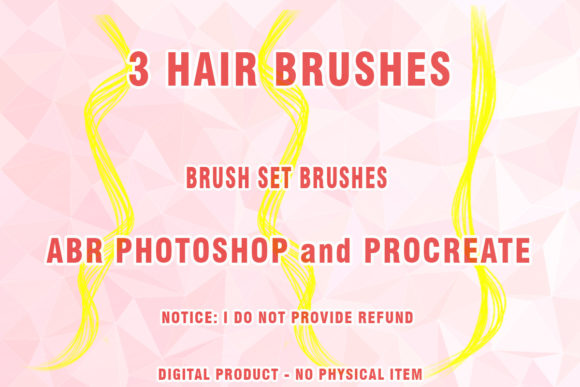
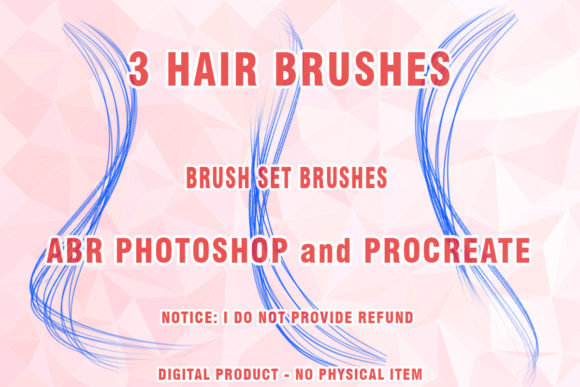
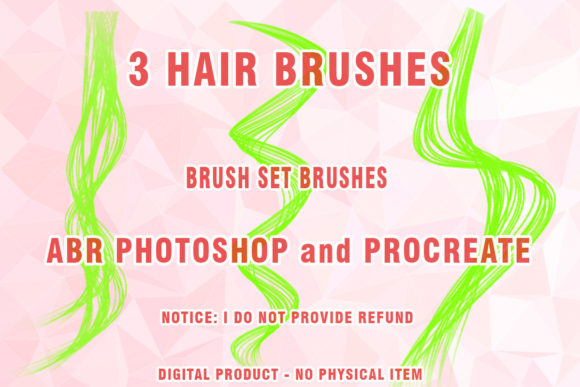
While the title suggests compatibility with Procreate, users should note that .ABR files are native to the Adobe ecosystem. To use these in Procreate, one would typically need to convert them or find an equivalent set specifically formatted for iPadOS, unless the creator has provided separate files not explicitly detailed in the primary description. For Photoshop users, however, the integration is seamless. The set also includes references to "3 Hairbrushes" and "Wigs ABR Photoshop," suggesting a focused approach on both natural hair rendering and stylized wig design, which is particularly useful for character designers and fashion illustrators.
A critical consideration for potential users is software versioning. The documentation notes that this set may not work partially or at all on very old versions of Photoshop, specifically CS3 or earlier. This is a reasonable limitation, as brush engines have evolved significantly over the past decade. Modern versions of Photoshop (CC and later) utilize advanced pressure sensitivity, jitter, and scattering algorithms that older versions simply cannot interpret. Therefore, users operating on legacy systems should proceed with caution, while those on current Creative Cloud subscriptions will likely experience full functionality.
Key Characteristics and Practical Application
The strength of Hair Brushes Procreate and Photoshop 27 lies in its versatility. The set is not limited to a single style; rather, it encompasses a range of textures suitable for different artistic needs. From fine, wispy strands to thick, voluminous locks, the brushes are designed to mimic the natural irregularity of human hair. This is achieved through careful calibration of brush tip shape, spacing, and dynamics.
For professionals working in digital hair rendering, the ability to quickly establish base shapes is invaluable. Traditional methods often involve painting large blocks of color and then refining edges manually, a process that can take hours. With these Abr brushes, artists can lay down foundational strokes that already possess the necessary texture and flow. This allows for a faster iteration process, enabling creators to experiment with different hairstyles and colors without committing excessive time to each draft.
The inclusion of brushes specifically tagged for Wigs Photoshop Brushes indicates a niche utility for fashion and character design. Rendering synthetic hair or styled wigs requires a different approach than natural hair, often demanding sharper highlights and more uniform strand patterns. This set appears to account for such variations, offering tools that can handle both organic and stylized representations. This flexibility makes it a viable option for a broad spectrum of projects, from realistic portraiture to anime-style character art.
Performance and Usability in Professional Workflows
When evaluating any digital brush set, consistency and reliability are paramount. A brush that behaves unpredictably can disrupt the creative flow and lead to frustration. Based on the structure of modern brush sets, these tools are likely configured to respond dynamically to pen pressure and tilt. This means that varying the pressure on your stylus will alter the opacity, size, or flow of the brush stroke, allowing for nuanced control over the final appearance.
In practical terms, this translates to a more organic painting experience. For instance, when painting painted hair highlights, an artist can apply light pressure for subtle, translucent strands and heavier pressure for bold, opaque lines. This level of control is essential for achieving depth and dimension. Furthermore, the brushes are designed to be customizable. Users can adjust settings such as scattering, angle jitter, and color dynamics within Photoshop to tailor the brush behavior to their specific style. This adaptability ensures that the tool remains useful across diverse projects and artistic preferences.
However, it is important to manage expectations. No brush set is a magic solution that replaces fundamental artistic skills. Understanding light, shadow, and anatomy remains crucial. These brushes are aids, not replacements for technique. They excel at accelerating the execution phase but still require a skilled hand to guide their application. Artists who rely solely on presets without understanding underlying forms may find their results lacking in realism. Therefore, this set is best viewed as a productivity enhancer for those who already possess a solid foundation in digital painting.
Who Benefits Most from This Brush Set?
The target audience for Hair Brushes Procreate and Photoshop 27 is diverse, ranging from seasoned professionals to serious hobbyists. Freelance illustrators and concept artists will appreciate the time-saving aspects, allowing them to meet tight deadlines without compromising on quality. Fashion designers and textile artists may find the wig-specific brushes particularly useful for visualizing hairstyles on their designs. Additionally, educators and tutorial creators can use these tools to demonstrate hair-rendering techniques more efficiently to their students.
Small business owners who create their own marketing materials or product images can also benefit. For example, an entrepreneur selling custom portraits or character commissions can use these brushes to speed up their workflow, thereby increasing their output capacity. Similarly, bloggers and content creators who produce original digital art for their platforms can enhance the visual appeal of their posts with professionally rendered hair details.
It is also worth considering the long-term value of the investment. Unlike subscription-based services, this is a one-time purchase of a digital product. Once downloaded, the files belong to the user indefinitely. This makes it a cost-effective addition to a digital artist’s library, especially when compared to the hourly rate saved by reducing manual painting time. Over the course of a year, the efficiency gains can easily outweigh the initial cost of the asset.
Limitations and Considerations
While the benefits are clear, there are limitations to acknowledge. As mentioned, compatibility with older software versions like CS3 is not guaranteed. Users must ensure they are running a supported version of Photoshop to avoid technical issues. Additionally, the learning curve associated with any new brush set should not be underestimated. Taking the time to explore the settings and practice with the brushes is essential to unlocking their full potential. Rushing into a project without familiarizing oneself with the tool’s behavior can lead to subpar results.
Furthermore, the effectiveness of these brushes depends heavily on the hardware used. A high-quality graphics tablet with good pressure sensitivity is recommended to fully utilize the dynamic features of the brushes. Users working with basic mice or low-end tablets may find the experience less responsive and satisfying. Therefore, investing in appropriate hardware is a complementary requirement for getting the most out of this digital asset.
Final Thoughts on Value and Integration
In conclusion, Hair Brushes Procreate and Photoshop 27 represents a practical and well-considered resource for digital artists. Its strength lies in its ability to bridge the gap between technical precision and artistic expression, offering a streamlined approach to one of the most challenging aspects of digital painting. By providing a diverse range of textures and styles, it caters to a wide array of creative needs, from realistic portraiture to stylized character design.
For professionals and serious hobbyists alike, the decision to integrate this set into their workflow should be based on their current needs and software environment. If you are working with modern versions of Photoshop and seek to enhance your efficiency in rendering hair, this brush set offers tangible value. It is not merely a collection of presets but a tool designed to support and elevate your creative process. As with any artistic resource, its true worth is realized through consistent use and thoughtful application, making it a worthy addition to the toolkit of any dedicated digital creator.