Evaluating Procreate Realistic Tie Dye Brushes Vol2 for Digital Design
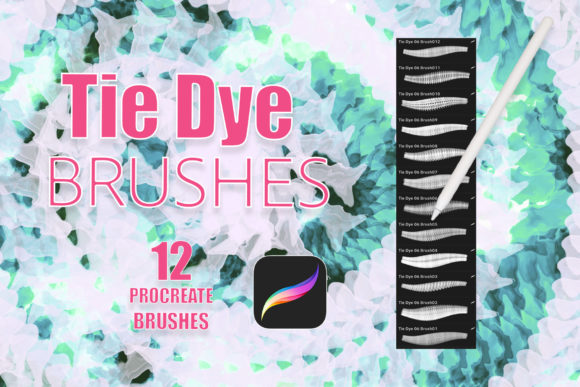
Digital art tools have evolved significantly, allowing creators to replicate traditional media with increasing accuracy. Among the specialized tools available for iPad users, Procreate Realistic Tie Dye Brushes Vol2 represents a niche but powerful resource for artists seeking organic, fluid textures. This brush set is designed specifically for the Procreate application, offering a collection of twelve distinct brushes that simulate the unpredictable and vibrant patterns associated with tie-dye techniques. For designers, illustrators, and hobbyists, understanding the capabilities and limitations of this tool is essential before integrating it into a professional workflow.
Understanding the Tool and Compatibility
Before assessing the artistic potential of Procreate Realistic Tie Dye Brushes Vol2, it is crucial to address the technical requirements. These files are exclusively compatible with the Procreate app on iPad. They will not function in Photoshop, Clip Studio Paint, or other desktop-based software. Furthermore, optimal performance requires an iPad paired with an Apple Pencil or a third-party stylus that supports pressure sensitivity. The reliance on pressure data means that the brushes respond to the force applied by the user, allowing for variations in opacity, flow, and texture density. Without a pressure-sensitive input device, the nuanced effects of the tie-dye simulation may be lost, resulting in flat or uniform stamps.
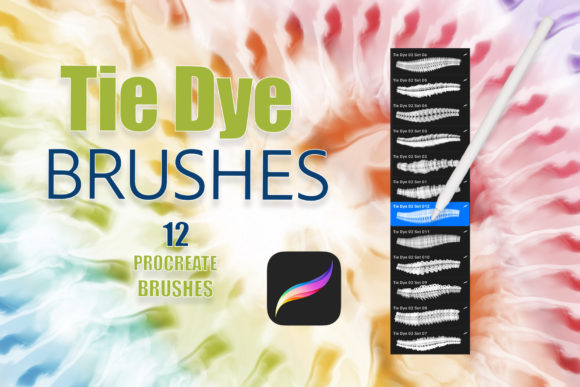
The download typically includes a single zip file containing one .brushset file. Once imported into Procreate, users gain access to twelve individual brushes. Each brush is engineered to mimic different aspects of the tie-dye process, from tight spiral binds to loose crumple effects. The inclusion of transparent backgrounds in these digital stamps is a significant feature, as it allows for non-destructive editing. Artists can layer these brushes over existing artwork, adjust blending modes, and apply custom colors without obscuring underlying details.
Artistic Applications and Use Cases
The versatility of Procreate Realistic Tie Dye Brushes Vol2 extends beyond simple pattern creation. While the primary association with tie-dye is casual apparel, the aesthetic has permeated various design sectors. One prominent application is in tattoo design. The fluid, organic lines produced by these brushes can serve as excellent bases for watercolor-style tattoos or background shading that requires a soft, diffused look. Tattoo artists can experiment with color combinations digitally before committing to skin, reducing the risk of error during the actual procedure.
In the realm of graphic design, these brushes are valuable for creating unique invitations, greeting cards, and logos. The retro resurgence of 1970s aesthetics has made tie-dye patterns popular in branding for lifestyle companies, music festivals, and youth-oriented products. Using Procreate Realistic Tie Dye Brushes Vol2 allows designers to generate custom textures that are distinct from stock photography, ensuring brand uniqueness. Additionally, the ability to add personal textures and patterns means that each output can be tailored to specific project requirements, avoiding the generic look often associated with pre-made digital assets.
Benefits of Using Specialized Tie-Dye Brushes
The primary benefit of using a dedicated brush set like Procreate Realistic Tie Dye Brushes Vol2 is efficiency. Creating realistic tie-dye effects manually in digital software can be time-consuming. It typically involves complex layering, masking, and filter applications to achieve the desired bleed and saturation effects. These brushes streamline the process, enabling artists to produce high-quality results with minimal effort. This efficiency is particularly beneficial for professionals working under tight deadlines or those who need to generate multiple variations of a design quickly.
Another advantage is the level of control offered by the pressure-sensitive functionality. Unlike static stamps, these brushes react to the user’s hand movements. This interactivity allows for a more intuitive creative process, where the artist can guide the flow of the "dye" in real-time. The transparent nature of the brushes also facilitates experimentation. Users can easily test different color palettes and blending modes, such as Multiply, Overlay, or Screen, to see how the tie-dye effect interacts with other elements in their composition.
Considerations and Potential Tradeoffs
While Procreate Realistic Tie Dye Brushes Vol2 offers significant advantages, there are tradeoffs to consider. The most notable limitation is its platform exclusivity. Artists who work across multiple devices or prefer desktop software will find these brushes unusable. This restricts the tool’s utility to the iPad ecosystem alone. Additionally, the quality of the output is heavily dependent on the user’s skill level and hardware. Without a high-quality stylus and a steady hand, the results may appear artificial or repetitive.
Furthermore, while the brushes provide a realistic base, they are not a substitute for fundamental design skills. Achieving a cohesive look requires an understanding of color theory and composition. Simply applying the brushes without consideration for contrast and balance can result in cluttered or visually overwhelming designs. Users must also be prepared to spend time customizing the brushes to fit their specific needs, as the default settings may not suit every project.
When to Choose This Brush Set
Procreate Realistic Tie Dye Brushes Vol2 is a strong fit for iPad-based artists who frequently incorporate organic textures into their work. It is ideal for illustrators looking to add a playful, retro vibe to their characters or backgrounds. Graphic designers specializing in event marketing, apparel design, or social media content will also find value in the quick turnaround time these brushes provide. If your workflow is centered around Procreate and you seek to expand your textural library with minimal setup time, this brush set aligns well with your goals.
Additionally, this tool is suitable for educators and students exploring digital art techniques. The immediate visual feedback helps learners understand how digital brushes can mimic physical media. It serves as an excellent educational resource for demonstrating concepts like layer blending, opacity, and texture mapping.
When to Consider Alternatives
However, there are scenarios where alternatives may be more appropriate. If you require cross-platform compatibility, investing in a brush set that works with Photoshop or Affinity Designer might be a better long-term investment. Similarly, if your design style is strictly minimalist or geometric, the organic chaos of tie-dye patterns may not align with your aesthetic preferences. In such cases, standard shape tools or vector-based software would offer greater precision and control.
Artists who prefer complete control over every pixel may also find pre-made brushes limiting. For those who enjoy the technical challenge of creating textures from scratch, using Procreate’s native rendering engine to build custom gradients and masks might provide a more satisfying and customizable experience. Ultimately, the decision depends on whether you prioritize speed and convenience or total creative autonomy.
Making an Informed Decision
Evaluating Procreate Realistic Tie Dye Brushes Vol2 requires a clear understanding of your current workflow and artistic objectives. If you are an iPad user looking to enhance your textural capabilities with minimal friction, this brush set offers a practical solution. It bridges the gap between traditional tie-dye aesthetics and digital efficiency, providing a versatile tool for various creative projects. However, it is essential to recognize its limitations regarding platform exclusivity and the need for pressure-sensitive input.
By considering the specific benefits and tradeoffs, you can determine whether this tool complements your existing arsenal. For many digital artists, the ability to quickly generate realistic, customizable tie-dye effects is a valuable asset that can streamline production and inspire new creative directions. As with any digital tool, the true value lies in how effectively it integrates into your unique creative process.