Procreate Stamps Brushes Terrazzo: A Practical Guide for Digital Designers
The rise of digital illustration on the iPad has transformed how designers approach texture and pattern creation. Among the many tools available, the Procreate Stamps Brushes Terrazzo set has emerged as a specialized resource for artists seeking to incorporate mid-century modern aesthetics and organic stone textures into their work. This collection is not merely a standard brush pack; it is a curated library of hand-drawn elements designed to streamline the workflow for specific design projects. Understanding the capabilities, limitations, and ideal use cases of this toolset is essential for determining whether it aligns with your creative objectives.
Understanding the Toolset Composition
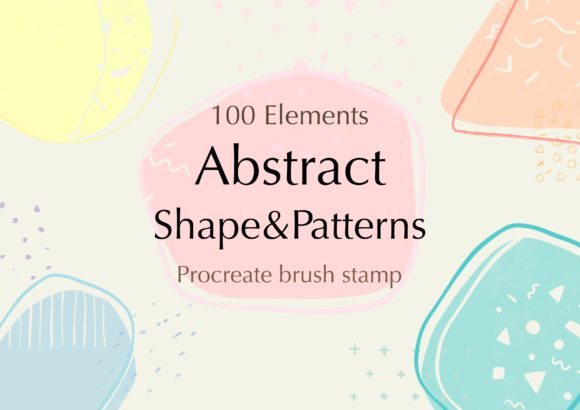
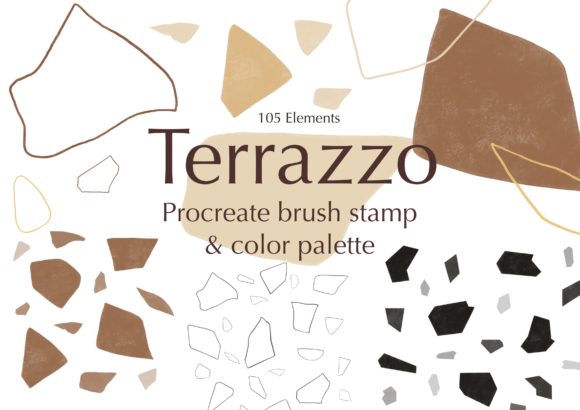
To evaluate the utility of this product, one must first understand its components. The package includes 105 distinct Terrazzo Procreate stamps. Unlike traditional brushes that rely on continuous stroke dynamics, stamps are pre-designed shapes that can be placed, rotated, and scaled within the canvas. This distinction is crucial for users accustomed to freehand drawing, as it shifts the workflow from creation to composition.
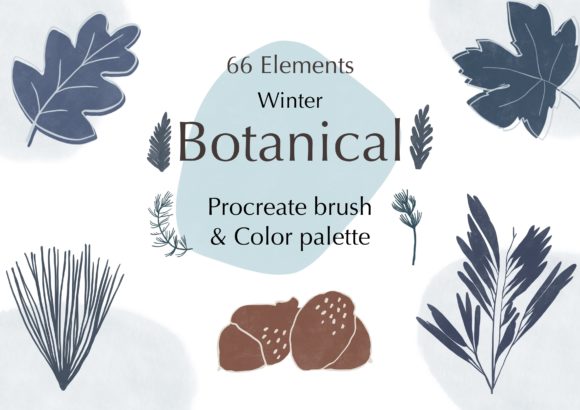
In addition to the stamps, the set provides 30 color palettes. These palettes are significant because terrazzo design relies heavily on color contrast and harmony. Having pre-configured schemes saves time during the initial setup phase, allowing designers to experiment with different moods without manually selecting individual hues. The hand-drawn nature of the brushes ensures that each stamp retains an organic, imperfect quality, avoiding the sterile look often associated with vector-based geometric tools.
Technical Requirements and Compatibility
A critical consideration before purchasing any digital asset is compatibility. It is imperative to note that these brushes are exclusively designed for the Procreate App. They do not function in Adobe Photoshop, Clip Studio Paint, or any other desktop-based illustration software. This limitation restricts the audience to iPad users who have invested in the Apple ecosystem.
Furthermore, optimal performance requires an iPad Pro paired with an Apple Pencil or a compatible, pressure-sensitive stylus. While Procreate supports various input methods, the precision required for placing and adjusting stamps benefits significantly from high-fidelity hardware. Users with older iPad models or non-pressure-sensitive styluses may experience limitations in responsiveness and control, which could hinder the detailed arrangement of complex patterns.
Workflow Benefits and Customization
The primary advantage of using Procreate Stamps Brushes Terrazzo lies in efficiency. Creating realistic terrazzo patterns from scratch involves drawing hundreds of irregular shards, managing layer hierarchies, and ensuring consistent spacing. This process can be time-consuming and technically demanding. With this stamp set, designers can achieve similar visual results in a fraction of the time by dragging and dropping pre-made elements.
Customization remains a core feature of the Procreate environment. Users can adjust the color, size, and opacity of each stamp individually. This flexibility allows for deep integration into existing projects. For instance, a designer can lower the opacity of certain stamps to create depth or change colors to match a client’s brand guidelines. The ability to mix and match different brush sets within the same canvas enables the creation of unique compositions that do not look like repetitive templates.
Ideal Use Cases
This toolset is particularly well-suited for specific design scenarios. Graphic designers working on branding materials, such as business cards, packaging, or social media graphics, will find the terrazzo aesthetic highly relevant for contemporary, stylish layouts. The organic texture adds visual interest without overwhelming textual content.
Interior designers and architects using digital mood boards can also benefit from these stamps. They allow for quick visualization of floor tiles, countertops, or wall accents without needing to source high-resolution stock photos. Additionally, surface pattern designers can use these elements as building blocks for larger repeats, accelerating the prototyping phase of textile or wallpaper design.
Limitations and Tradeoffs
While efficient, reliance on stamp brushes introduces certain tradeoffs. The most notable is the potential for repetitiveness. If a designer uses the same stamps without varying size, rotation, or opacity, the resulting pattern may appear artificial and grid-like. Achieving a natural look requires a keen eye for composition and a willingness to manually adjust each element. This manual intervention can offset some of the time-saving benefits if the project demands high complexity.
Another consideration is the lack of vector scalability. Since these are raster-based stamps within Procreate, they are subject to resolution limits. While Procreate handles high-resolution canvases well, enlarging a small stamp significantly may result in pixelation. Designers working on large-format prints must ensure their canvas dimensions are set correctly from the outset to maintain image quality.
Comparing Alternatives
For those evaluating whether this set is the right choice, it is helpful to consider alternatives. Vector-based tools like Adobe Illustrator offer infinite scalability and precise geometric control, which may be preferable for strict corporate branding or large-scale architectural renderings. However, Illustrator lacks the organic, hand-drawn feel that defines the appeal of terrazzo textures.
Alternatively, photographers and designers might opt for high-resolution stock images of real terrazzo surfaces. These provide photorealistic detail but offer less flexibility in terms of color customization and element arrangement. The Procreate Stamps Brushes Terrazzo occupies a middle ground, offering more control than stock photos and more organic character than vector shapes.
Decision-Making Insights
When deciding whether to invest in this brush set, consider your current workflow and project types. If you frequently create digital illustrations, social media content, or mockups that require textured backgrounds, this tool can significantly reduce production time. The inclusion of 30 color palettes further enhances its value for users who struggle with color theory or need quick inspiration.
However, if your work primarily involves vector graphics, large-format printing, or if you do not use an iPad, this product will not meet your needs. It is also important to assess your comfort level with Procreate. Users unfamiliar with layer management and stamp manipulation may face a learning curve that initially slows down their process.
Ultimately, the Procreate Stamps Brushes Terrazzo is a specialized tool designed for a specific aesthetic and platform. It excels in providing a quick, customizable way to incorporate trendy, organic textures into digital designs. By understanding its technical requirements and creative potential, designers can make an informed decision about whether it fits into their digital toolkit. For iPad-based creatives looking to expand their textural repertoire without sacrificing the hand-crafted feel, this set offers a practical and efficient solution.