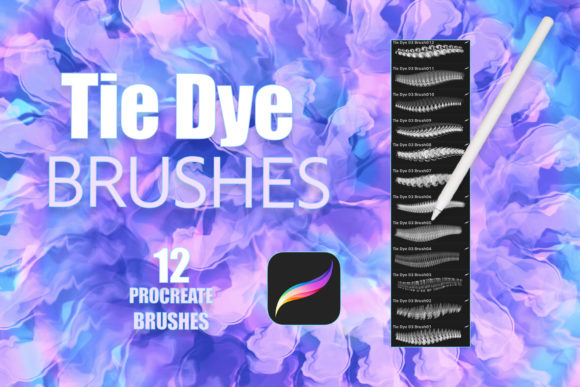
Procreate Realistic Tie Dye Brushes Vol3
Digital art has evolved far beyond simple sketches and flat colors. Today, creators are constantly seeking tools that bridge the gap between traditional media textures and the flexibility of digital workflows. Procreate Realistic Tie Dye Brushes Vol3 enters this space as a specialized resource designed to replicate the organic, unpredictable beauty of tie-dye patterns directly on your iPad. Unlike standard brushes that apply uniform strokes, this brushset leverages pressure sensitivity to create layered, fluid effects that mimic real fabric dyeing techniques.
For artists working within the Procreate ecosystem, understanding the specific utility of these tools is essential. This is not merely a collection of stamps; it is a functional asset for anyone looking to introduce complex, vibrant textures into their work without the mess or permanence of physical dyes. Whether you are designing a logo, illustrating a greeting card, or creating digital tattoos, the way you approach these brushes will depend largely on your professional goals and creative experience.
Understanding the Toolset
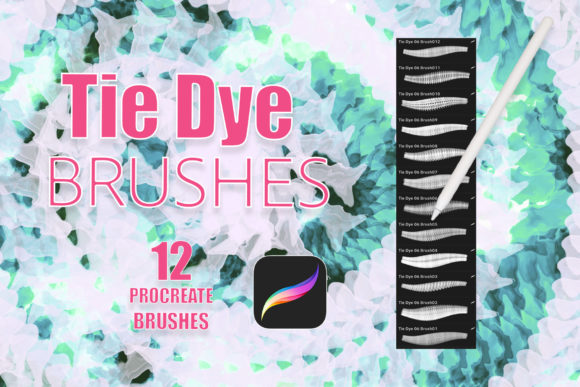
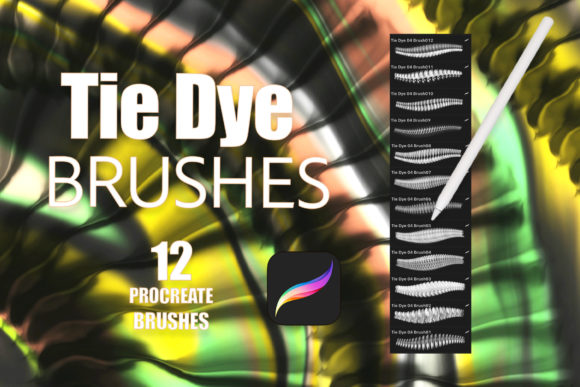
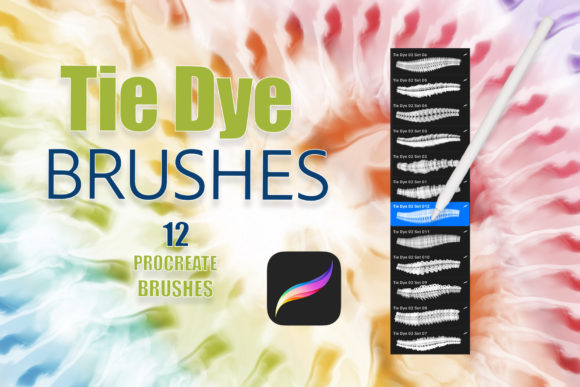
At its core, Procreate Realistic Tie Dye Brushes Vol3 is a single .brushset file containing twelve distinct brushes. These are engineered specifically for the Procreate app, meaning they are incompatible with Photoshop, Clip Studio Paint, or other desktop software. To use them effectively, you need an iPad paired with an Apple Pencil or a third-party stylus that supports pressure sensitivity. This hardware requirement is crucial because the realism of the tie-dye effect relies on the varying pressure you apply to the screen. Light touches create soft, diffused edges, while heavier pressure results in saturated, bold color blooms.
The brushes feature transparent backgrounds, a technical detail that significantly expands their versatility. Instead of being locked into a white or black canvas, you can layer these dye effects over existing textures, photographs, or vector shapes. This allows for non-destructive editing, where you can adjust opacity, blending modes, and color profiles to suit your specific project needs. The result is a dynamic workflow where digital precision meets organic chaos.
Perspectives for Different Creators
The value of a niche tool like this varies significantly depending on who is holding the stylus. A beginner might view it as a fun way to experiment with color, while a professional marketer might see it as a time-saving asset for campaign visuals. Here is how different audiences might evaluate and utilize Procreate Realistic Tie Dye Brushes Vol3.
The Beginner and Hobbyist
For those new to digital art, the learning curve of Procreate can sometimes feel steep. Beginners often struggle with creating realistic textures from scratch, spending hours trying to blend colors manually. This brushset offers an immediate shortcut to professional-looking results. A hobbyist creating digital journals or personal illustrations can use these brushes to add depth and interest to their pages without needing advanced knowledge of layer masking or gradient maps.
The primary priority here is ease of use and creative inspiration. By providing twelve pre-configured variations, the tool allows novices to experiment with different tie-dye styles—such as spiral, crumple, or stripe effects—simply by selecting a brush and swiping. It encourages playfulness, helping new users build confidence in their ability to manipulate digital media.
The Professional Designer and Marketer
Graphic designers and marketers often face tight deadlines and client demands for unique, eye-catching visuals. In this context, Procreate Realistic Tie Dye Brushes Vol3 is evaluated based on efficiency and commercial viability. Creating a realistic tie-dye effect manually in vector software or through photo manipulation can be time-consuming. These brushes reduce that process to seconds.
Consider a designer working on a summer campaign for a clothing brand. They can quickly generate custom tie-dye patterns to use as backgrounds for social media posts, email headers, or product mockups. Because the brushes have transparent backgrounds, the designer can easily overlay the dye effect onto a model’s shirt in a photograph, adjusting the blending mode to "Multiply" or "Overlay" for a realistic integration. The focus here is on reliability and speed, ensuring that high-quality assets can be produced consistently.
The Entrepreneur and Small Business Owner
Small business owners, particularly those in print-on-demand or handmade goods sectors, often need to create unique designs for invitations, greeting cards, and packaging. For this audience, the uniqueness of the output is paramount. Using standard stock images can lead to generic-looking products, but custom-generated tie-dye patterns offer a distinctive brand identity.
An entrepreneur selling wedding invitations might use these brushes to create soft, watercolor-like dye effects that complement floral illustrations. Since the brushes allow for custom colors, they can match the exact palette of a wedding theme. The key consideration here is flexibility. The ability to tweak colors and textures ensures that the final product feels bespoke rather than mass-produced.
Educators and Content Creators
Art educators and tutorial creators can use Procreate Realistic Tie Dye Brushes Vol3 as a teaching aid. Demonstrating how digital tools can mimic traditional processes helps students understand the principles of color theory and texture. An educator might show how pressure sensitivity affects pigment density, drawing parallels between digital brushing and physical fabric dyeing.
For bloggers and YouTubers, these brushes provide engaging visual content. A tutorial on "How to Create Retro Designs in Procreate" becomes more compelling when it features dynamic, evolving tie-dye patterns. The priority for this group is educational value and visual appeal, using the tool to demonstrate techniques that captivate an audience.
Practical Applications and Use Cases
Beyond general categories, the specific applications of these brushes highlight their versatility. Here are practical examples of how Procreate Realistic Tie Dye Brushes Vol3 can be integrated into various projects:
- Tattoo Design: Tattoo artists often sketch concepts digitally before transferring them to skin. These brushes can simulate the soft shading and color blending required for watercolor-style tattoos, allowing clients to visualize the final look with greater accuracy.
- Logo Branding: Brands aiming for a bohemian, retro, or artistic vibe can incorporate subtle tie-dye elements into their logos. The transparent background ensures these elements can be placed over various marketing materials without awkward white boxes.
- Greeting Cards and Invitations: The organic nature of tie-dye adds warmth and personality to paper goods. Designers can create unique borders or background washes that make each card feel handcrafted.
- Digital Textures: 3D artists and game developers may use these brushes to generate texture maps for digital fabrics, adding realism to virtual clothing and environments.
Evaluating Fit for Your Workflow
Before integrating Procreate Realistic Tie Dye Brushes Vol3 into your toolkit, consider your current workflow and hardware. If you do not own an iPad with pressure-sensitive stylus support, these brushes will not function as intended. The nuance of the tie-dye effect is lost without pressure data, resulting in flat, uniform stamps rather than dynamic blends.
Additionally, assess your need for customization. If you require precise, geometric patterns, this tool may not be the best fit, as tie-dye is inherently irregular. However, if your goal is to introduce organic movement, vibrant color transitions, and textured depth, this brushset offers a robust solution. It is particularly valuable for those who want to avoid the steep learning curve of creating complex textures from scratch while maintaining control over the final aesthetic.
Ultimately, the decision to use these brushes comes down to your project’s visual language. For retro-inspired designs, spiritual or wellness branding, and playful illustrations, the realistic dye effects provide an authentic touch that resonates with modern audiences. By understanding the specific capabilities and limitations of the tool, you can determine whether it aligns with your creative objectives and enhances your digital artistry.